

MaxiPrinter
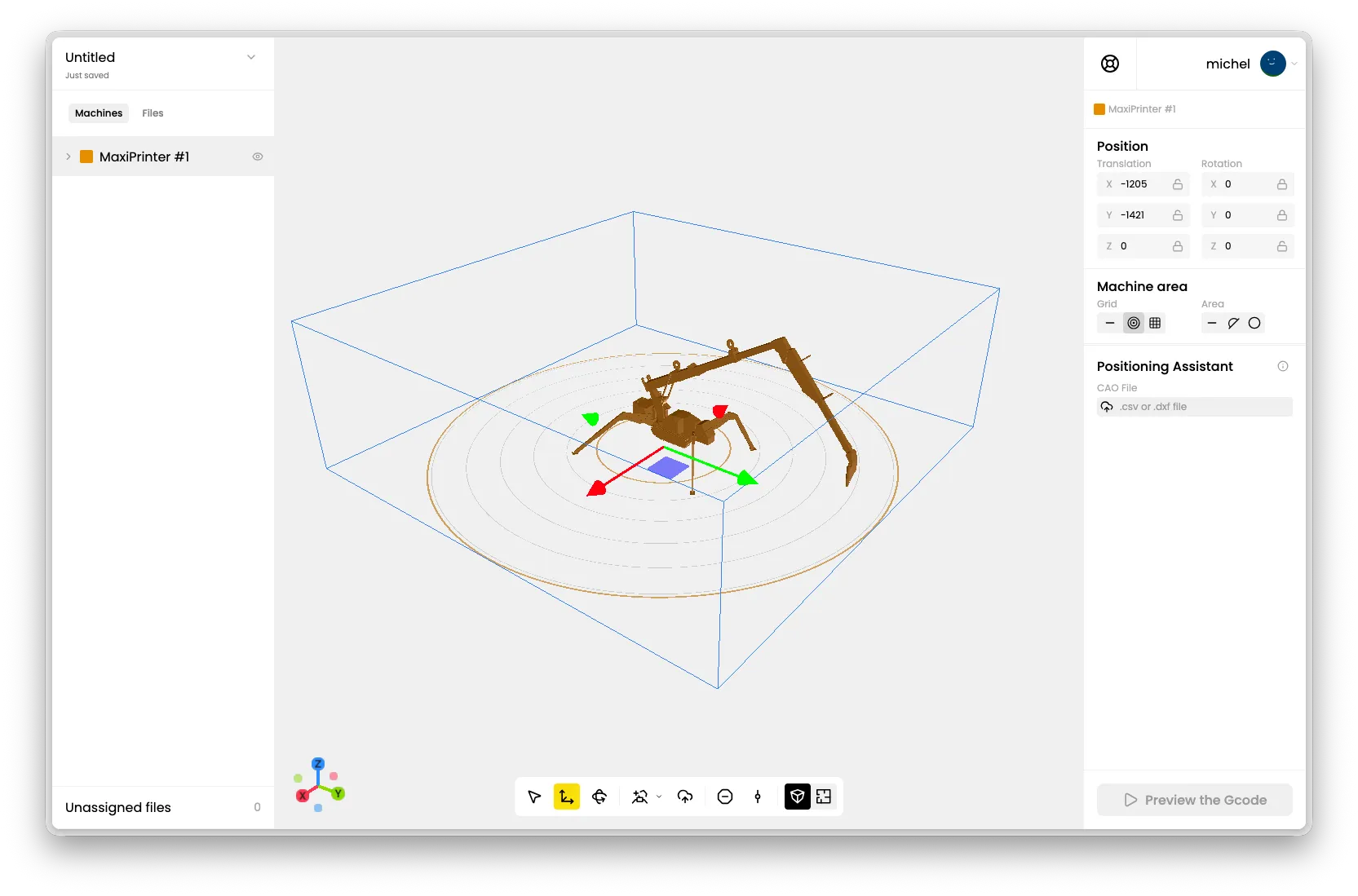
The MaxiPrinter is a large-format robotic-arm printer. Its reach is defined by a boom and a jib, which gives it a circular (polar) working area rather than the rectangular area of the MiniPrinters.
Learn more about this machine on the MaxiPrinter product page.
At a Glance
Section titled “At a Glance”| Property | Value |
|---|---|
| Type | Robotic arm (polar) |
| Working area | Circular, defined by boom, jib and height |
| Default layer height | 20 mm |
| Gcode format | .mxp |
| Print head option | Not applicable |
Machine Area
Section titled “Machine Area”In the right bar, the Machine area panel lets you configure how the MaxiPrinter’s working area is set up and displayed.
Machine geometry
Section titled “Machine geometry”The MaxiPrinter’s reach depends on three values you can adjust to match your real installation:
| Setting | Default | Description |
|---|---|---|
| Boom | 5000 mm | Length of the main arm. |
| Jib | 3100 mm | Length of the secondary arm that carries the print head. |
| Height | 2000 mm | Height of the machine base. |
Changing these values updates the working area shown in the editor so it matches your machine.
Choose how the floor grid is displayed: Polar (the default for the MaxiPrinter, with concentric rings), Cartesian (a square grid) or None.
Area and Zone
Section titled “Area and Zone”- Area: choose whether to display the Full printable area, only Half of it, or None. The half option is useful for planning prints on one side of the machine.
- Zone: switch the displayed envelope between Printable (where the machine can actually print) and Reachable (the full reach of the arm).
Print Settings
Section titled “Print Settings”The MaxiPrinter uses a default layer height of 20 mm. All standard print settings — printing mode, layers per group, travel prevention — are available.