

Print Settings
This guide will help you configure the print settings for your 3D model files in Printsite Studio.
Layers Count
Section titled “Layers Count”The Layers Count setting determines the number of times you want to print each layer of a 2D design. This setting is crucial for ensuring that your 2D designs are accurately translated into printable layers.
Layer Height
Section titled “Layer Height”The Layer Height setting controls the thickness of each layer in your 3D print.
Total Height
Section titled “Total Height”The Total Height setting represents the total height of your files when all layers are stacked together.
Number of Layers per Group
Section titled “Number of Layers per Group”The Number of Layers per Group setting allows you to specify how many layers to print in one session before pausing. This feature is particularly useful for managing the drying time of materials like concrete, ensuring structural integrity by allowing layers to set properly.
Printing Mode
Section titled “Printing Mode”The Printing Mode setting lets you choose how the printer lays down material:
- Regular: Prints one bead per layer with a discontinuity between each layer.
- Semi-spiralized: Provides a single continuous bead without discontinuity, with a progressive rise at the beginning and end of each layer.
- Spiralized: Prints the whole part as one continuous spiral (vase mode), rising gradually layer after layer with no stops and no visible seam. The wall is printed in a single uninterrupted movement, which gives the smoothest possible result.
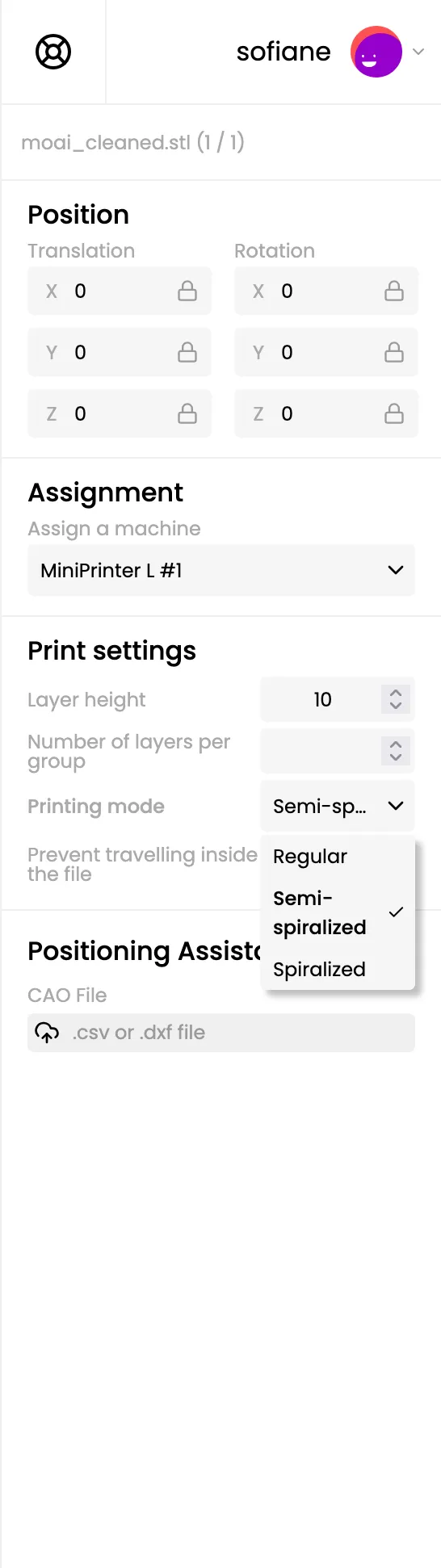
Prevent travelling inside the file
Section titled “Prevent travelling inside the file”The Prevent travelling inside the file setting allows you to prevent the printer from traveling through the interior of your models. Enable this option for improved print quality and reduced risk of collisions.
Overflow (in mm)
Section titled “Overflow (in mm)”When “Prevent travelling inside the file” is enabled, you can set an overflow (in millimeters) to keep the printer head a safe distance from the inside boundaries of your model.